01 / PVP
09 MODULESCombat
Sword HVHCrystal HVHKomar HVHAuraAuto CrystalTotemGapCriticalsShield Breaker
THE CLIENT THAT SETS THE TONE
Catlean Client is a Minecraft cheat client for Java 1.21.11, with a distinct purple style and configurable module categories for your client setup.
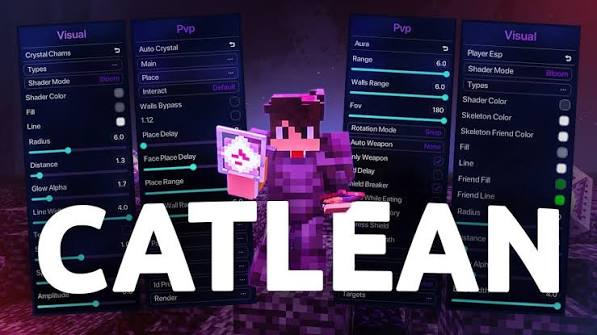
CATLEAN CLIENT MODULES
Explore some of Catlean’s 150+ modules, from PvP combat tools to movement, visuals, player utilities, and mining.
Showing 29 listed modules from the 150+ module client.
This page highlights 29 modules from the 150+ total. Names and availability can vary by Catlean release. Only use cheat modules where server rules allow them.
THE CATLEAN FEELING
A client experience with a distinct look, thoughtful details, and a place for your own setup.
A recognizable purple identity from the first launch to your last session.
Make the client feel personal with a setup that suits the way you play.
Install Fabric Loader for Minecraft Java 1.21.11. Choose the same game version in the installer.
Get the Fabric installer ↗Download the Catlean .jar and place it in your Minecraft mods folder. Keep the file ending in .jar.
Windows: press Win + R, enter %appdata%\.minecraft\mods, then press Enter. If the mods folder is missing, create it.
Open the Minecraft Launcher, select the Fabric profile for 1.21.11, and press Play.
CATLEAN CLIENT FAQ
Catlean Client is presented as a Minecraft Java cheat client for version 1.21.11. Its exact module list should be confirmed from the current release.
This download is labeled for Minecraft Java 1.21.11. Use the matching Fabric Loader profile and check release notes for any additional requirements.
Install Fabric for Minecraft 1.21.11, place the Catlean .jar in your Minecraft mods folder, then launch the matching Fabric profile. See the full install guide above.
No. Server rules differ. Check the rules first; many servers prohibit cheat clients and may ban accounts that use them.
Use the download button on this website. It points to the Catlean 1.21.11 JAR in the site’s downloads folder.
YOUR NEXT SESSION STARTS HERE
Catlean Client for Minecraft Java 1.21.11.
Download the .jar and follow the install steps above.
C